How can you effectively maintain a website?

Setting up a website is incredibly easy these days. You choose a domain, pay for hosting, install WordPress, Drupal, or PrestaShop, click on the right template, and you’re done. But creating a website is just the beginning. The real challenge begins when you have to maintain the site so that it runs without interruptions, is efficient, and—most importantly—secure.
People are naturally comfortable and lazy. If you run a small or medium-sized business, I have some bad news for you: for the sake of your business, you’ll have to put in a little more effort and spend some time getting your company’s digital hygiene in order.
Well, unless you don’t care about unnecessary costs, regulations like GDPR, or the confidentiality of your customers’ information. If that’s the case, feel free to stop reading and send me an email explaining how you do it. I’d love to hear about it.
Table of Contents
- Zadbaj o bycie abonentem swoich domen internetowych
- Jeśli nie chcesz przepłacać – kup hosting samodzielnie
- Nie trzymaj poczty na serwerze wykonawcy strony
- Gdy zawieje wiatr zmian
- Rozważ uproszczony plan disaster recovery
- Regularne aktualizacje to absolutna podstawa
- Audyt strony internetowej – po co to robić?
- Jak uniknąć niepotrzebnych problemów?
Make sure you are the registered owner of your domain names
Even though I’ve been harping on this for years, I still come across business owners who are surprisingly casual about who actually owns their domain. The scenario is almost always the same: you hire an agency or a freelancer to build a website, and they “just happen” to buy and register the domain.
Why is that asking for trouble?
When you register a domain, you become its registrant—you gain exclusive rights to it for a specified period. If an agency registered the domain in its own name, it is the legal owner of your web address. You are merely using it courtesy of the agency.
Consequences?
- Lack of flexibility: Any change to the domain configuration, no matter how minor (such as adding new email services or changing servers), requires the involvement and approval of the intermediary. This slows down processes and generates additional costs.
- Overpaying: Resellers rarely offer services at cost. You’re likely paying significantly more each year to renew your domain than you would with a direct registrar.
- Domain blackmail: This is the worst-case scenario, but unfortunately a very real one. In the event of a dispute, an attempt to switch agencies, or simply dishonesty on the part of the service provider, you may be hit with an exorbitant price for transferring the domain to your company. Without paying this digital extortion fee, the brand you’ve built will simply vanish from the internet.
When registering a domain, always use an email address that you’ll have easy access to in the future. This is crucial, especially if you’re purchasing the domain for several years.
If you don't want to overpay, buy your own hosting
Offers like “a website with hosting included” sound incredibly tempting. You don’t have to worry about which server specifications to choose; someone else keeps track of payment deadlines; and at the end of the month, your accountant receives just one consolidated invoice and isn’t buried in paperwork.
However, you should be aware that maintaining a simple business card website or a small company site costs only a few dozen zlotys a year. What’s more, if it’s a static site, with a little technical know-how, you can host it online completely for free.
If you’re paying hundreds of zlotys a year for hosting, and your site doesn’t generate massive traffic and has no special requirements regarding disk space, you’re most likely just overpaying. Purchasing hosting directly from a trusted provider gives you full independence and eliminates the middleman’s markup.
Don't store your email on the web developer's server
When you sign up for hosting through an agency, you often get email accounts under your company’s domain. It looks professional and works quickly. What’s the catch?
As the primary server administrator, the website developer theoretically has full access to the contents of your email inboxes. I’m not assuming everyone has bad intentions or is nosy, but personally, I wouldn’t feel comfortable knowing that the person sending me invoices has the technical ability to read my business emails, view contracts, or analyze my business’s financial status.
If you don’t want to take the risk, move your email to independent, commercial platforms such as Google Workspace (formerly G Suite) or Microsoft 365. Then, only you will have access to your correspondence—the administrators of the server hosting your website won’t be able to look into your inbox.
When the winds of change blow
Business relationships can be like marriages. The initial excitement and passion fade over the years. Sometimes the partnership ends in a bitter, difficult divorce.
When a service provider holds your domains, servers, and email in their hands, they have a crushing negotiating advantage. They can dictate terms, raise prices, and make it difficult for you to leave. Keeping all key access credentials on your side is your insurance policy in case you need to switch technology partners.
Consider a simplified disaster recovery plan
The term “disaster recovery” sounds like corporate jargon, but behind the facade lies a very real-life problem: what will you do if a disaster strikes?
Of course, the likelihood of a meteorite hitting your provider’s server room (though it’s worth knowing the Torino Scale) is close to zero. But let’s look at a more realistic scenario.
Your domain, hosting, and email are managed by a single IT specialist who is a friend of yours. One day, he is involved in a serious car accident and falls into a coma. His family is in the throes of tragedy; they’re not in the right frame of mind to check passwords on his computer, and you’re left with a non-functioning website, a locked email account, and no access whatsoever. You’ll then hear a simple: “Give me a break, a loved one is in the hospital; I don’t know what this ‘hosting’ thing is.”
Accidents happen. Putting all your digital eggs in one basket with an outside party, without any emergency procedures or backup access, is a huge risk to your business operations.
Regular updates are absolutely essential
If your website runs on WordPress or PrestaShop, you need to make sure you regularly update the core software, theme, and plugins. These are what ensure your site runs quickly and securely.
Failing to update is like leaving the door wide open for cybercriminals. Older plugin versions very often contain publicly known vulnerabilities that make it easy to automatically take control of the site. So before you start suspecting a sophisticated hacker attack when a server error suddenly pops up on your site or product pages stop loading, remind yourself when you last clicked the “Update” button.
Perform manual updates at least once a week. Always make sure you have a fresh backup before making any changes.
Website Audit – Why Do It?
It’s a good idea to have professionals conduct a website audit every so often (e.g., once a year). This will ensure that your website is performing at its best. A well-conducted audit should include:
- Visual testing: Checking how the website displays on various devices, with a particular focus on smartphones and tablets.
- Functional testing: Analyzing the proper functioning of all plugins and contact forms.
- Performance analysis: Identifying bottlenecks that slow down page loading and lower your ranking in Google search results.
- Security and rollback testing: Verifying that you actually have a working backup and—most importantly—that you can restore your business from it in the event of a failure. A backup from which you cannot restore data within 10 minutes is no safeguard at all.
- Compliance analysis: Verifying that your privacy policy, terms of service, and cookie consent forms are fully compliant with GDPR. The European Union places a huge emphasis on data protection, and penalties for non-compliance can be severe.
How can you avoid unnecessary problems?
Most website security issues aren't caused by sophisticated hacking techniques, but by simple oversights. Want to sleep soundly? Follow these guidelines:
- Use strong passwords: Forget about simple phrases. A good password should be long and unique. Don’t use the same password for your website dashboard, email, and bank account. Use a password manager to keep track of them.
- Enable 2FA: Two-factor authentication (e.g., a code from a mobile app) is an extra lock on your digital door. Even if someone finds out your password, they won’t be able to log in without the second factor.
- Make sure you have SSL: An SSL security certificate is standard today. It protects the data your customers send (e.g., when filling out forms or making purchases) and builds brand credibility.
- Set calendar reminders: Don’t count on remembering the payment due date for your domain or hosting a year from now. Set reminders on your smartphone. GDPR means that no one will keep your data on an inactive server indefinitely. If you’re late with a payment, your data may be permanently deleted.
- Access management: If you give someone temporary access to your website’s settings, create a separate account for them. Once they’re done, delete the account immediately or change the passwords.
When you decide to run a business, you take on the roles of a salesperson, an accountant, a lawyer, and a marketer. It’s high time to add the basics of IT to that list as well. You don’t need to know how to code, but you do need to understand how the tools you use to make money work.
If your business has grown to the point where you already have your own IT department—great. Send them this article and ask what your company’s security procedures look like. It’s better to check this now than during a system failure at the height of the sales season.
View related articles

IT outages happen to everyone
For the past few hours the internet messenger Slack has been down. A few weeks ago you couldn't use Google's services, and even earlier a large part of the Internet wasn't working because of an outage of Cloudflare's services. Is it possible that cloud services are unavailable?
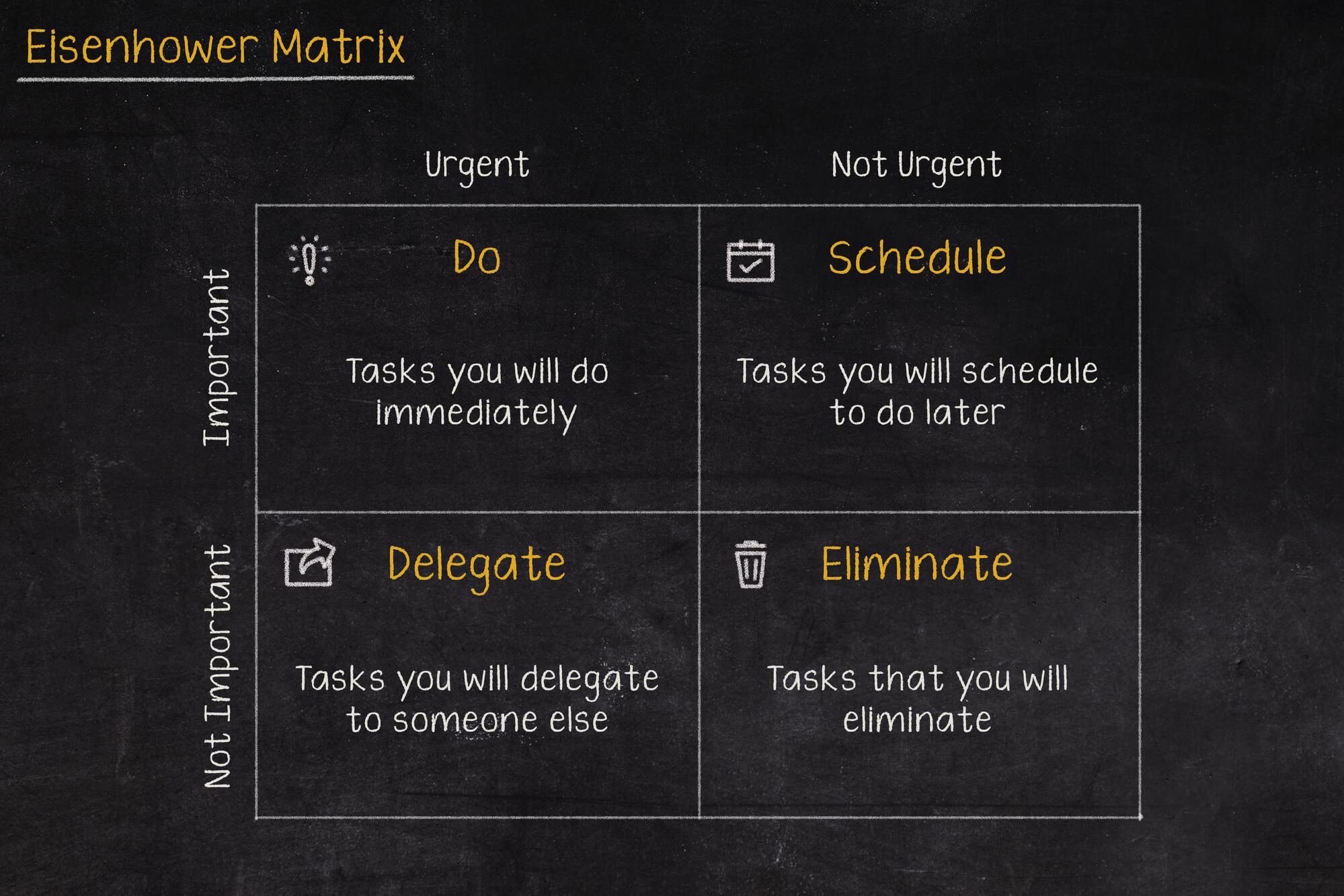
The Eisenhower Matrix, or how to take control of priorities
Go on a break, or maybe reply to that email, or pick up the phone from your boss? In what order should you tackle these tasks so as not to lose control and fall into helplessness? The solution to these problems may be the Eisenhower Matrix (also called the Eisenhower Box or Eisenhower Square).

Should the RCB Alert inform about the presidential elections?
Communication in an emergency is one of the more important topics covered during sailing, flying or diving. Warnings can save lives, which is why they shouldn't be treated lightly, and even more so shouldn't, by their wording, lead to their being ignored.